


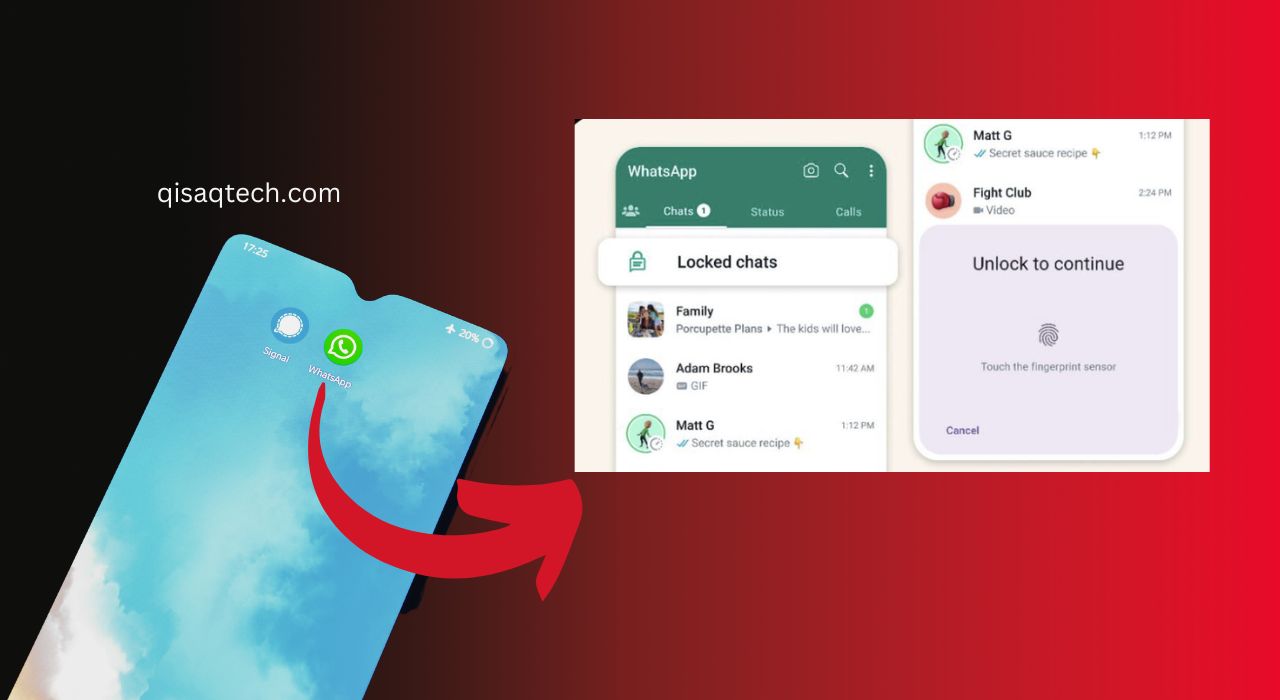
WhatsApp, the world’s most popular messaging platform, recently introduced a new chat lock feature for enhanced privacy of individual chats yesterday. This feature aims to protect user’s sensitive information and conversations by adding an extra layer of security. As privacy concerns continue to rise, the introduction of this feature is a significant step towards ensuring that users can communicate with confidence on the platform. In this comprehensive guide, we will explore the newly introduced chat lock feature, its benefits, and how to use it, and address some frequently asked questions.
Overview Of Whats App’s Chat Lock Feature
The chat lock feature has been introduced as a part of WhatsApp’s ongoing commitment to user privacy and security. This feature allows users to lock individual chats with a unique passcode or biometric authentication, such as fingerprint or Face ID, depending on the device being used. The chat lock feature is available for both Android and iOS users and can be easily enabled or disabled as per the user’s preference.
Benefits Of The Chat Lock Feature
WhatsApp’s chat lock feature offers multiple benefits, including:
1. Enhanced Privacy: By allowing users to lock individual chats, WhatsApp ensures that their conversations remain private and inaccessible to others who might have access to their devices.
2. Protection of Sensitive Information: This feature is especially useful for users who discuss sensitive information, such as business secrets or personal matters, and want to keep their conversations secure.
3. Ease of Use: The chat lock feature is easy to enable and disable, providing users with a seamless and convenient method to protect their conversations.
How to Use the Chat Lock Feature
WhatsApp Introduces a chat lock feature for enhanced privacy of individual chats yesterday, and using it is a simple process. Follow the steps below to enable the chat lock feature on your device:
For Android Users:
1. Open WhatsApp and select the individual chat you wish to lock.
2. Tap on the three-dot menu icon located at the top-right corner of the screen.
3. Select ‘View contact’ or ‘Group info’ depending on the chat type.
4. Scroll down and tap on ‘Chat Lock.’
5. Enable the chat lock by toggling the switch.
6. Set a unique passcode or choose to use your device’s fingerprint or Face ID authentication, if available.
7. Confirm the passcode or biometric authentication.
8. The chat is now locked, and you will need to enter the passcode or use biometric authentication to access the chat.
For iOS Users:
1. Open WhatsApp and select the individual chat you wish to lock.
2. Tap on the contact or group name at the top of the chat.
3. Scroll down and tap on ‘Chat Lock.’
4. Enable the chat lock by toggling the switch.
5. Set a unique passcode or choose to use your device’s Face ID authentication, if available.
6. Confirm the passcode or biometric authentication.
7. The chat is now locked, and you will need to enter the passcode or use biometric authentication to access the chat.
FAQ’s
1: Can I Lock All My Chats At Once?
The chat lock feature is designed to lock individual chats, so you need to enable it for each chat separately. This allows users to have better control over which chats they want to secure.
2: Will The Chat Lock Feature Affect My Message Notifications?
No, enabling the chat lock feature will not affect your message notifications. You will still receive notifications for new messages, but the content of the locked chat will be hidden until you unlock the chat.
3: Can I Still Use The Chat Lock Feature If My Device Does Not Support Biometric Authentication?
Yes, you can still use the chat lock feature by setting a unique passcode to lock and unlock your chats. The biometric authentication option is an additional layer of security for devices that support it.
4: What Happens If I Forget My Chat Lock Passcode?
If you forget your chat lock passcode, you will need to contact WhatsApp support for assistance. It is essential to remember your passcode, as it cannot be retrieved or reset without contacting support.
Wrap It Up:
The introduction of the chat lock feature by WhatsApp is a significant step towards ensuring the privacy and security of individual chats. By allowing users to lock their chats with a passcode or biometric authentication, WhatsApp is empowering users to take control of their conversations and protect their sensitive information. As privacy concerns continue to grow, it is crucial for messaging platforms like WhatsApp to introduce innovative features that cater to user demands and maintain their trust. With the chat lock feature, WhatsApp has once again demonstrated its commitment to user privacy and security, further solidifying its position as the world’s leading messaging platform.


